

No subtitles for this video yet.
0-100 Beauty Transformation! Quick Makeup Tips \\ Chloe Morello
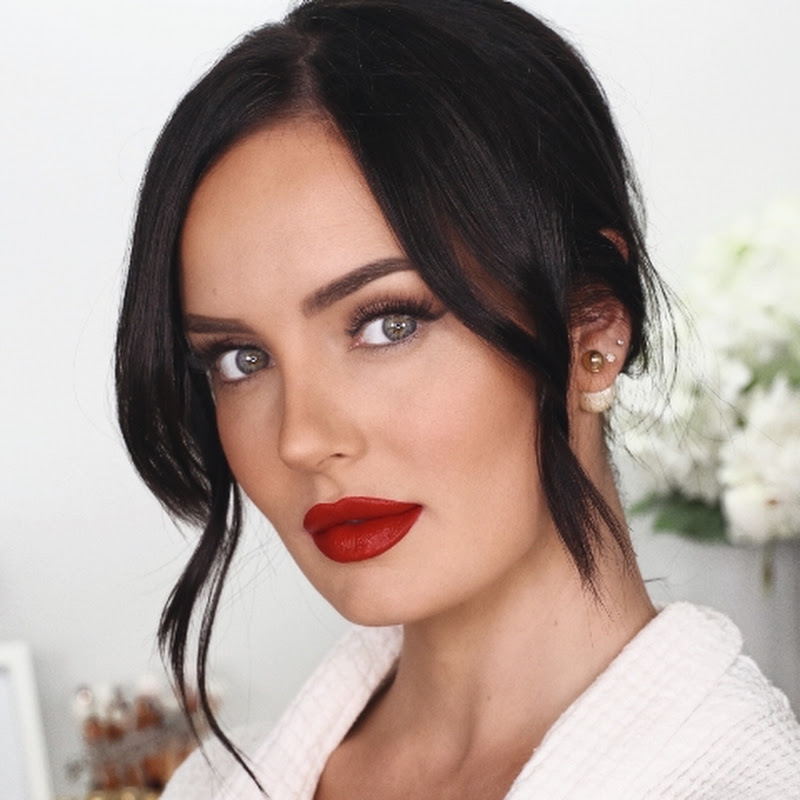
Description0 to 100 REAL QUICK! Enjoy my new video you guys! Who likes these quick makeover videos? This video is sponsored by Lanolips, who make AMAHHZING products, find a place to buy them here: http://bit.ly/WheretogetLano I recommend: 101 Ointment Superbalm Treatment 'The Original' and Tinted Balm SPF30 'Perfect Nude'. ProMore
0 to 100 REAL QUICK! Enjoy my new video you guys! Who likes these quick makeover videos?
This video is sponsored by Lanolips, who make AMAHHZING products, find a place to buy them here: http://bit.ly/WheretogetLano
I recommend: 101 Ointment Superbalm Treatment 'The Original' and Tinted Balm SPF30 'Perfect Nude'.
Products:
-Lancome Advanced Genifique Serum
-Guerlain L'Essentiel Foundation (shade 35N)
-Benefit Chloe's Brow Wardrobe Kit
-Lanolips 101 Ointment Superbalm Treatment 'The Original'
-Smashbox Studio Skin Flawless 24h Concealer
-Smashbox Always On Gel Eyeliner 'Brewed'
-Buxom Big Tease Mascara
-Revlon Instant Cheek Maker 'Bordeau Glow'
-Lanolips Tinted Balm SPF30 'Perfect Nude'
-Colette Earrings
-Urban Planet Scarf
----------------------------
Manager/Business Enquiries ONLY:
International enquiries please contact Kevin Johnson
( Kevin@Renegade-Mgmt.com )
All Australian enquiries please contact MAX CONNECTORS (Nicole@MaxConnectors.com.au)
*Please note I am not available for makeup artist services*
Please join me on any of my social networking and blogging sites:
BLOG: http://www.chloemorello.com
FACEBOOK: http://www.facebook.com/ChloeMorelloBeauty
TWITTER: http://twitter.com/chloemorello
INSTAGRAM: http://instagram.com/ChloeMorello
SNAP: MorelloMachine
----------------------------
Other links:
MY SIGMA BRUSHES LINK: http://bit.ly/1FCgNh3 Use the code ChloeMorello10 for 10% off!
Please note that I use affiliate links.
- Loading…