

No subtitles for this video yet.
5 MINUTES MAKEUP FOR VIDEO CONFERENCE | ALI ANDREEA #stayhome
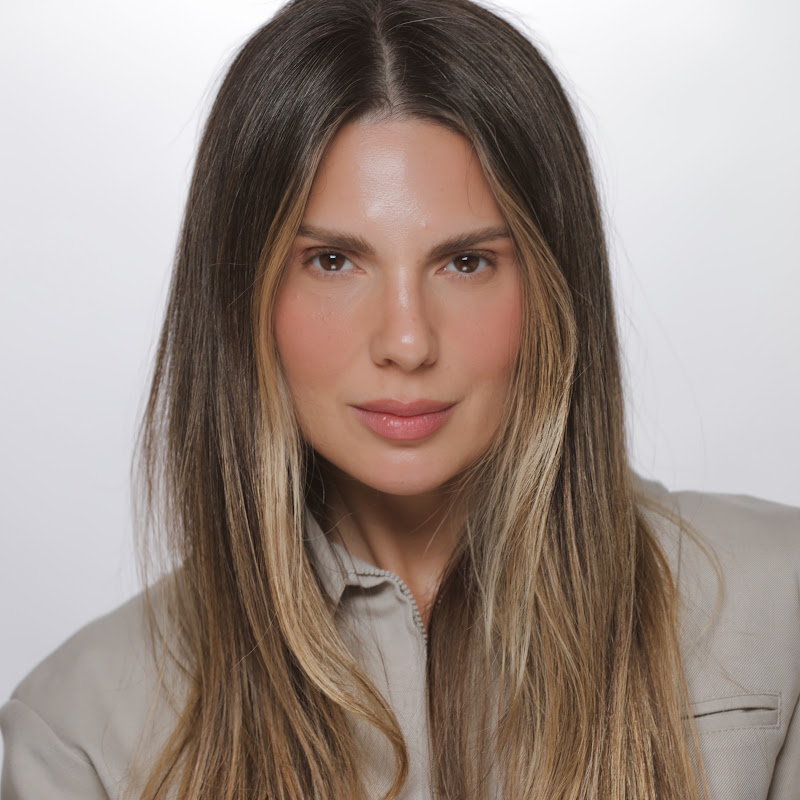
DescriptionAll products mentioned listed below! Hi everyone, Today I think I’m sharing with you the latest makeup look I’ve ever created. I wasn’t planning anything in terms of product, I just went with what I felt I needed to be doing that moment. If you’re like moist people and you’re working from home, then you probablyMore
All products mentioned listed below!
Hi everyone,
Today I think I’m sharing with you the latest makeup look I’ve ever created. I wasn’t planning anything in terms of product, I just went with what I felt I needed to be doing that moment.
If you’re like moist people and you’re working from home, then you probably already had a video conference with your colleagues, manager, team etc.
Here’s my take on the makeup look.
Then I gave you a little extra tips about how to hold your camera so you have a more flattering angle.
Hope you enjoyed this look and that it put a smile on your face.
Thanks for watching !
I’m wearing ( I know you’ll ask) a vintage blazer, all my white shirts are Massimo Dutti ‘cause they’re the best.
Find my bracelet here: https://apprl.com/al/5Hzv/
The tripod can be found here: https://bit.ly/2JLIxst
Product mentioned:
Tarte Shape Tape Concealer in Light Medium https://bit.ly/2RfgHZT
Hourglass The Ambient Lighting Palette https://bit.ly/2Dbx6Hb
Laura Mercier Blush in Chai https://bit.ly/34hMpL6
Anastasia Beverly Hill Brow Wiz in Medium Brown https://bit.ly/2UqMGZ6
Too Faced Better Than Sex Mascara https://bit.ly/2o2f8Df
Charlotte Tilbury superstar Lipstick in Sexy Lips https://bit.ly/39Kv8LS
How to do the eyeliner for hooded eyes https://www.youtube.com/watch?v=V1gkEV6yygE&t=8s
How to Clean Brushes https://www.youtube.com/watch?v=RsyVemKxVvA&t=2s
How I grew my hair https://www.youtube.com/watch?v=oAnVe30_Nwo&t=16s
The Only
- Loading…